Inhaltsverzeichnis
Installation
- The plugin runs on ARM and Mipsel processors. It is available as a zip or ipk file.
The zip file must first be unpacked. Then log in with an FTP program to the Vu+ (user: root, no password). Then copy the unzipped SmartEPGvu folder to the path /usr/lib/enigma2/python/Plugins/Extensions.
- Alternatively, the plugin is also available as ipk and can then be installed e.g. using the Openwebif plugin in the browser on the Vu+:
After the installation, the GUI must be restarted and then three menu items for //SmartEPGvu+ // should appear in the main menu.
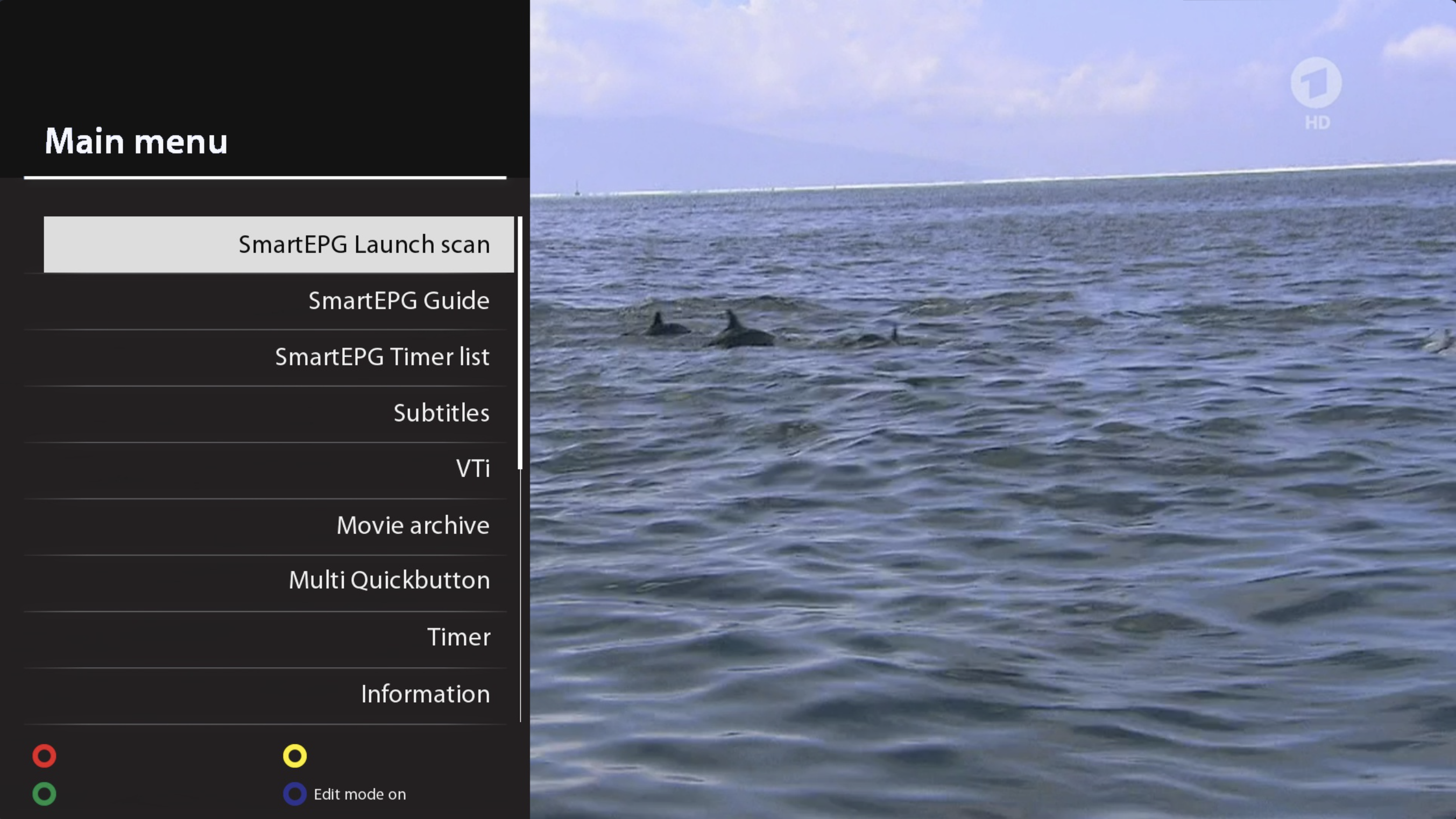
Start SmartEPG Scan
The channels selected in the //SmartEPGvu+ // menu are scanned, and the current EPG is loaded.
SmartEPG Guide
Calls up the View 1 of //SmartEPGvu+ // which shows the EPG for a channel.
SmartEPG Timer List
Calls up the View 5 of //SmartEPGvu+ // awhich displays all programmed timers.
The next step should be to configure the plugin via the Menu.